CF7 Popup: The Smarter Way to Capture Leads on Your WordPress Site
Are you losing potential leads simply because your contact form is buried on a separate page? The CF7 Popup WordPress plugin solves exactly that problem — turning your existing Contact Form 7 forms into a powerful, eye-catching popup that appears automatically on any page you choose.
Here is everything the plugin does and how to get started in minutes.
What Is CF7 Popup?
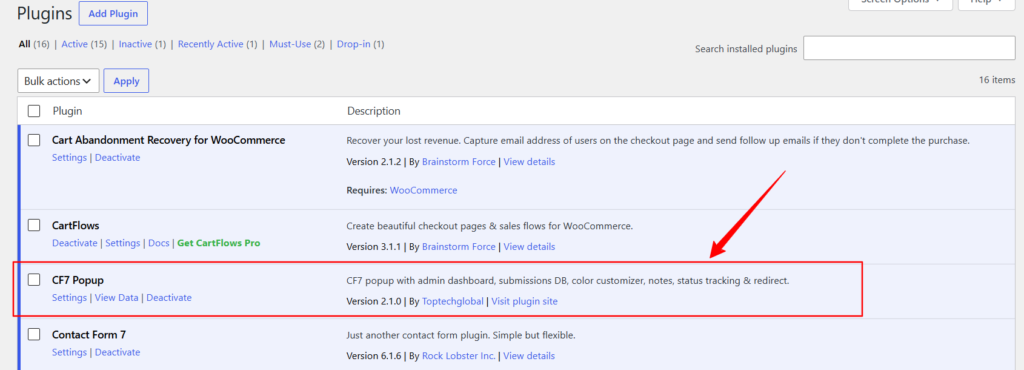
CF7 Popup is a lightweight WordPress plugin that displays any Contact Form 7 form inside a beautiful popup overlay, triggered automatically after a delay you control. Every submission is saved to your database and managed from a dedicated admin dashboard — no third-party services, no monthly fees.
Key Features
1. Automatic Popup Trigger
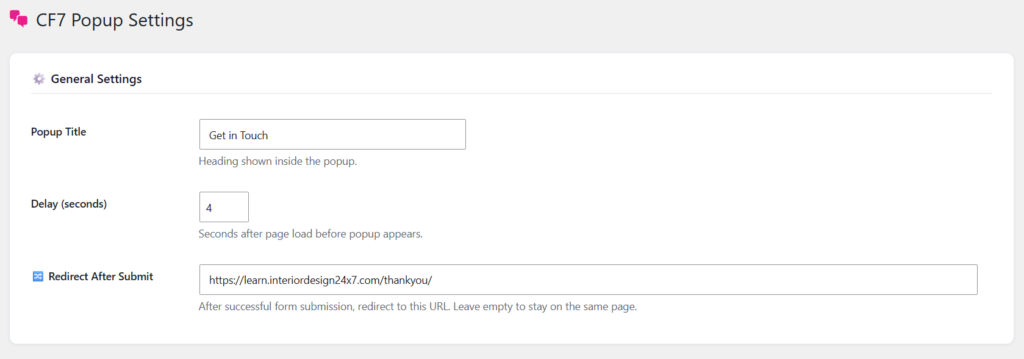
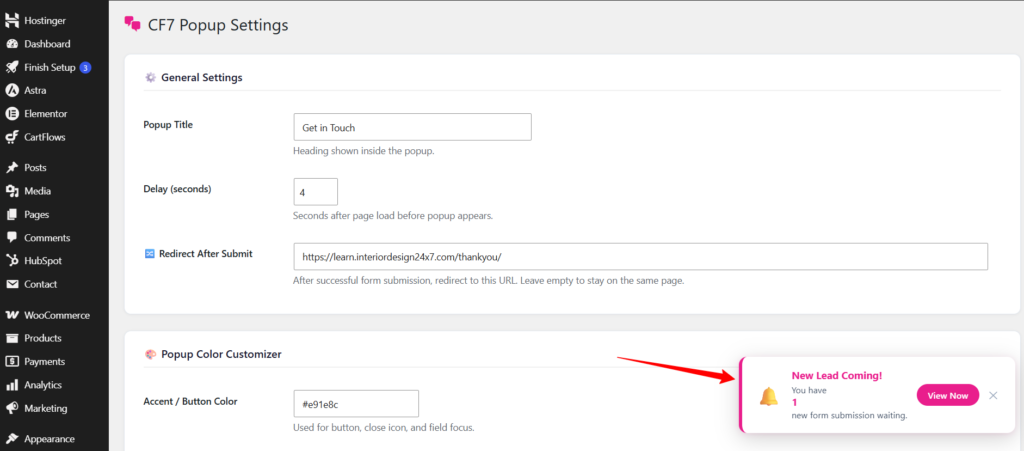
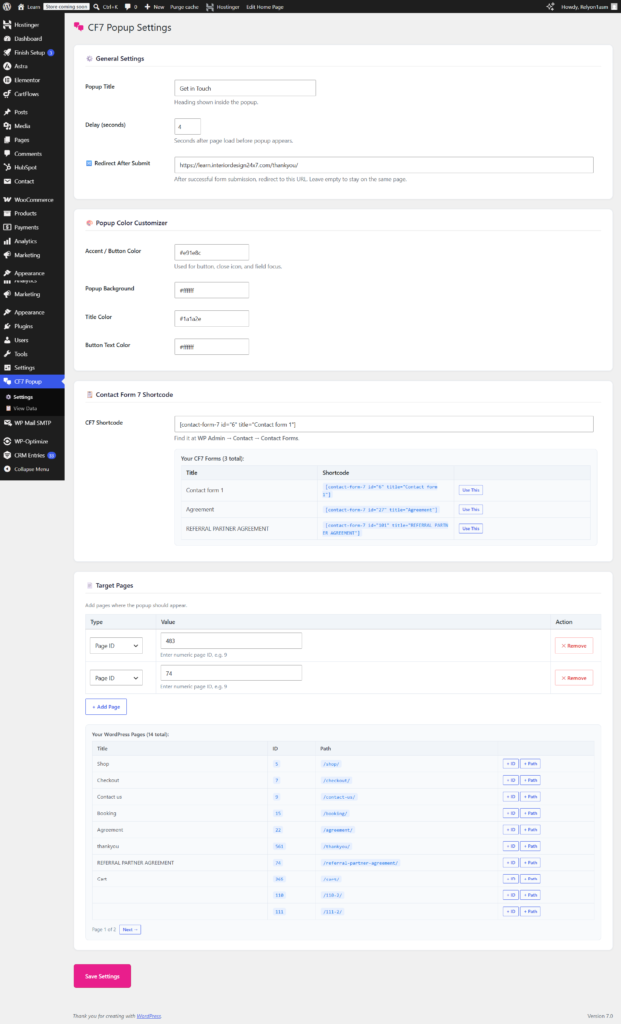
The popup appears after a set number of seconds — 3 seconds by default — giving visitors just enough time to engage with your page before the form slides in. You can adjust the delay from the settings panel without touching any code.
2. Target Any Page — Or Multiple Pages
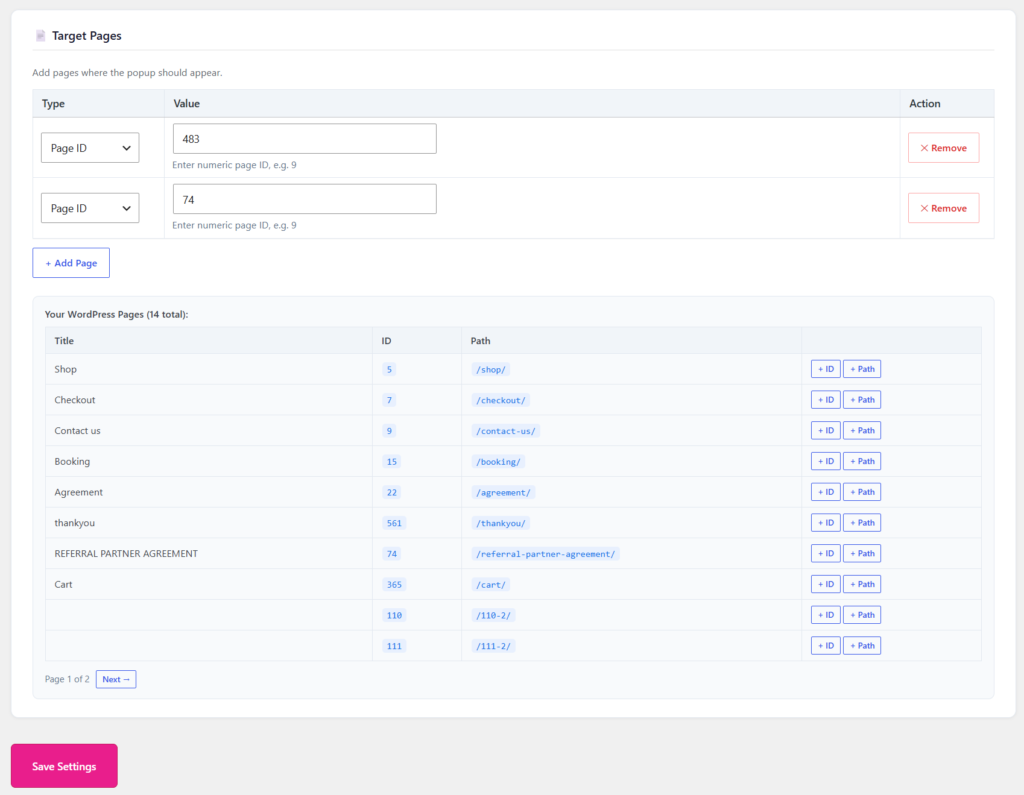
Unlike other popup plugins that apply site-wide, CF7 Popup lets you choose exactly which pages show the form. Add pages by their WordPress Page ID or by their URL path (for example /about/ or /contact-us/). You can add as many pages as you need, each tracking its own popup session independently.
3. Plug In Any CF7 Form Instantly
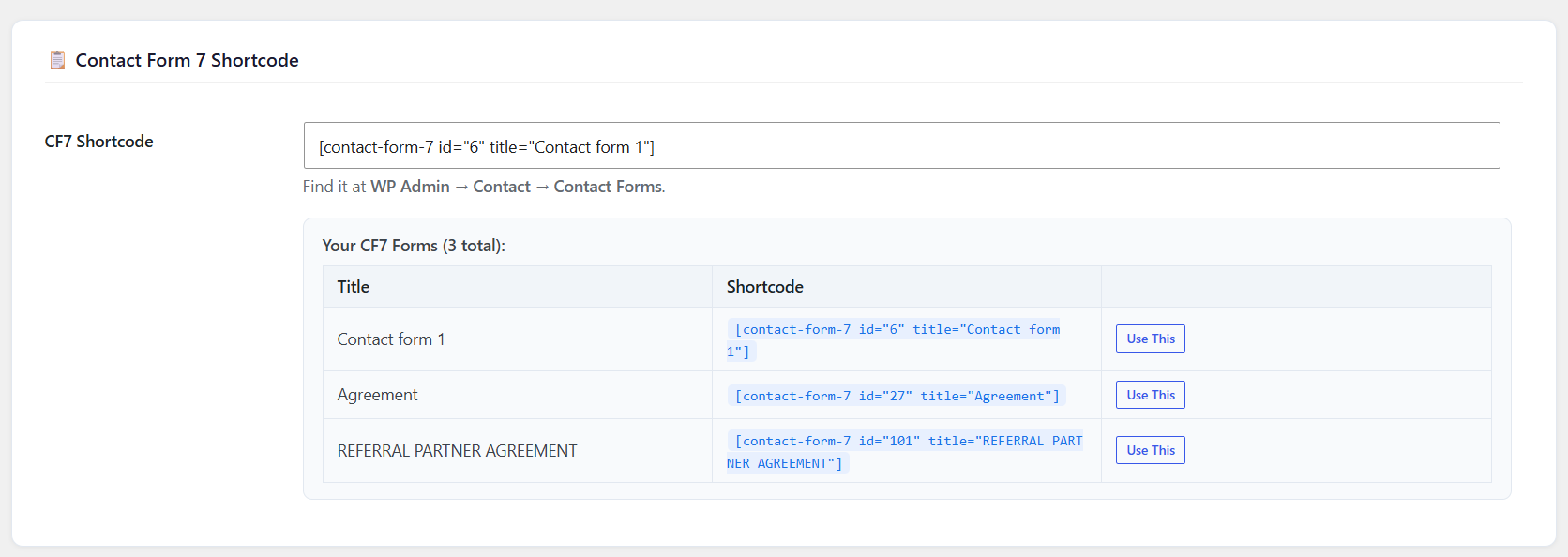
Simply paste your Contact Form 7 shortcode into the settings field. The plugin lists all your existing CF7 forms with a Use This one-click button that fills the shortcode field automatically — no copy-paste errors.
4. Redirect to a Thank You Page After Submission
Once a visitor submits the form, the plugin can redirect them to a dedicated thank you page. Enter any URL in the Redirect field and the plugin handles the rest, creating a smooth post-submission experience that supports follow-up funnels and conversion tracking.
5. Full Color Customizer
Match the popup to your brand without writing a single line of CSS. The settings panel includes four color pickers: accent and button color, popup background, title color, and button text color. Changes apply instantly across the popup.
6. Submissions Saved to Your Database
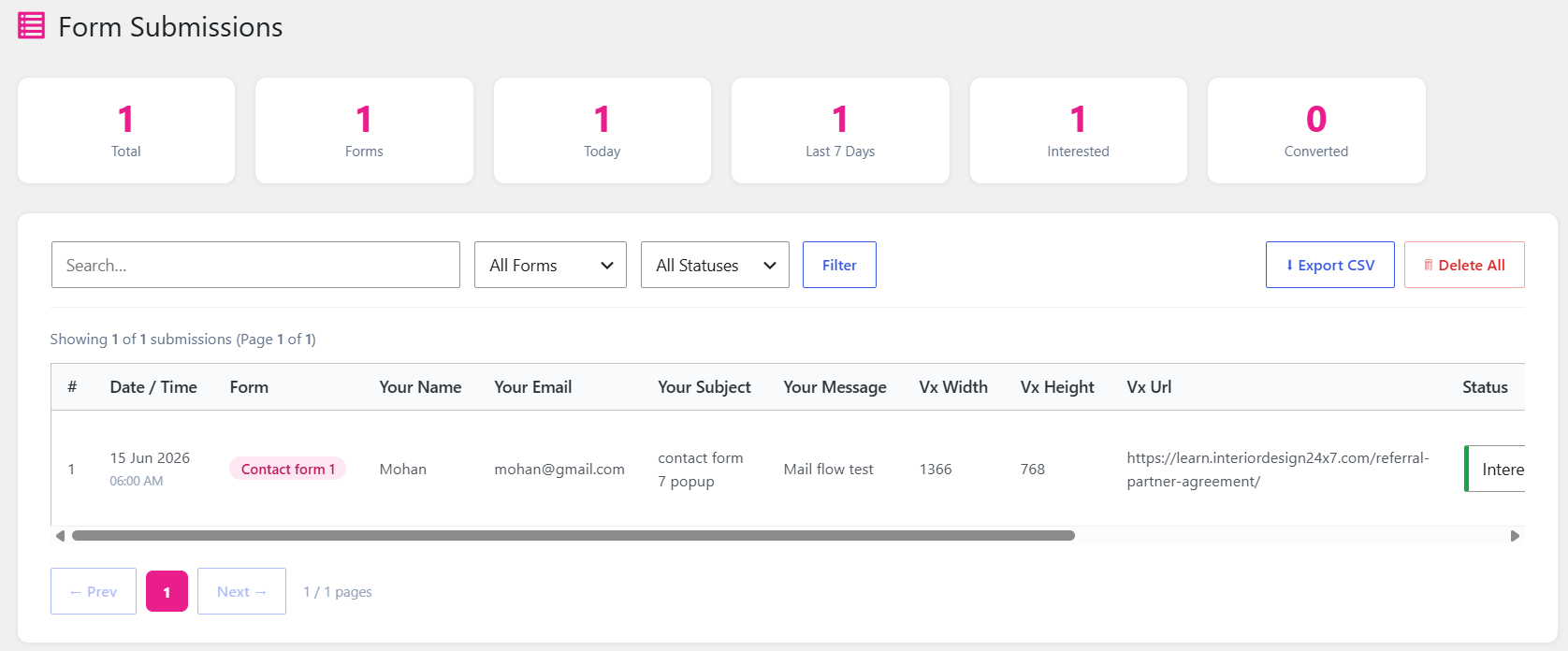
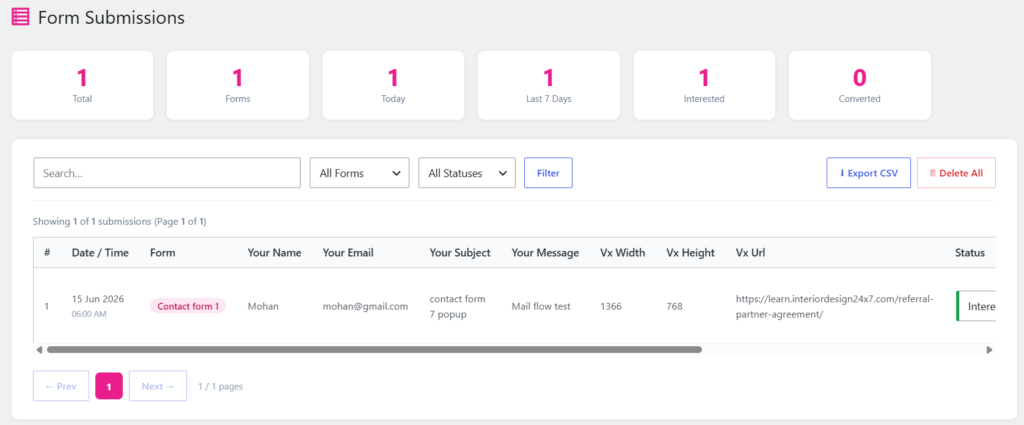
Every form submission from the popup is stored in a custom WordPress database table. No data leaves your server. The View Data dashboard tab shows all submissions in a searchable, filterable table with 10 rows per page and Prev/Next pagination.
7. Lead Status Tracking
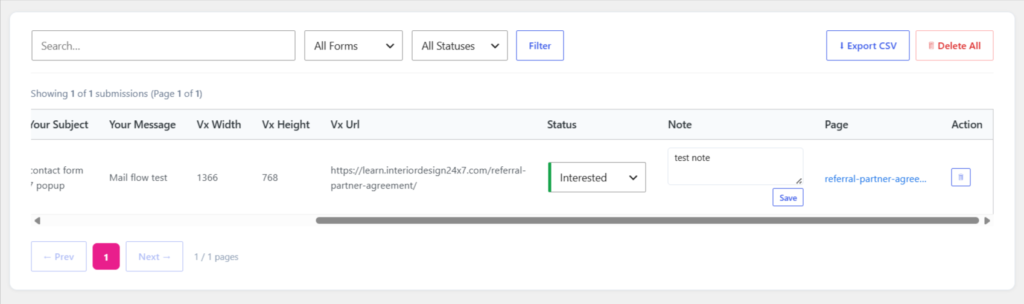
Each submission has a dropdown status column so your team can track where every lead stands — New, Interested, Not Interested, Follow Up, or Converted. Status changes save instantly without a page reload.
8. Notes Per Lead
Add a private note to any submission directly from the dashboard. Click Save and the note is stored against that lead permanently — useful for logging calls, follow-up details, or internal comments.
9. Real-Time New Lead Alert
When a new form submission arrives, a toast notification slides up from the bottom-right corner of every admin page with the message “New Lead Coming!” It shows the submission count, a View Now button, and auto-dismisses after 8 seconds. The dashboard also polls every 30 seconds so you never miss a lead even if you are already logged in.
10. Export and Bulk Actions
Export all submissions — or just your current filtered view — as a CSV file with one click. You can also delete individual rows or wipe all submissions at once from the View Data page.
Getting Started in 3 Steps
Step 1 — Install the plugin. Upload the zip file via WP Admin → Plugins → Add New → Upload Plugin, then activate.
Step 2 — Configure your settings. Go to WP Admin → CF7 Popup → Settings. Enter your popup title, set the delay, paste your CF7 shortcode, add your target page IDs, and optionally set a thank you redirect URL.
Step 3 — Watch the leads come in. Visit your target page, wait for the popup, and fill in the form. Head to CF7 Popup → View Data to see your first submission appear with all form fields, date, status, and source page.
Who Is This Plugin For?
CF7 Popup is perfect for small business owners, course creators, interior designers, consultants, and agencies who already use Contact Form 7 and want to boost form completions without investing in an expensive popup SaaS tool.
It is private, fast, and entirely under your control — exactly what a WordPress plugin should be.